
Trigger a test incident
xrelia can send incident notifications through multiple notification channels, including email and push notifications. Each channel has its own minimum incident severity, allowing you to control which incidents are delivered through each notification method. For example, you might receive all incidents by email, but only high or extreme severity incidents as push notifications.
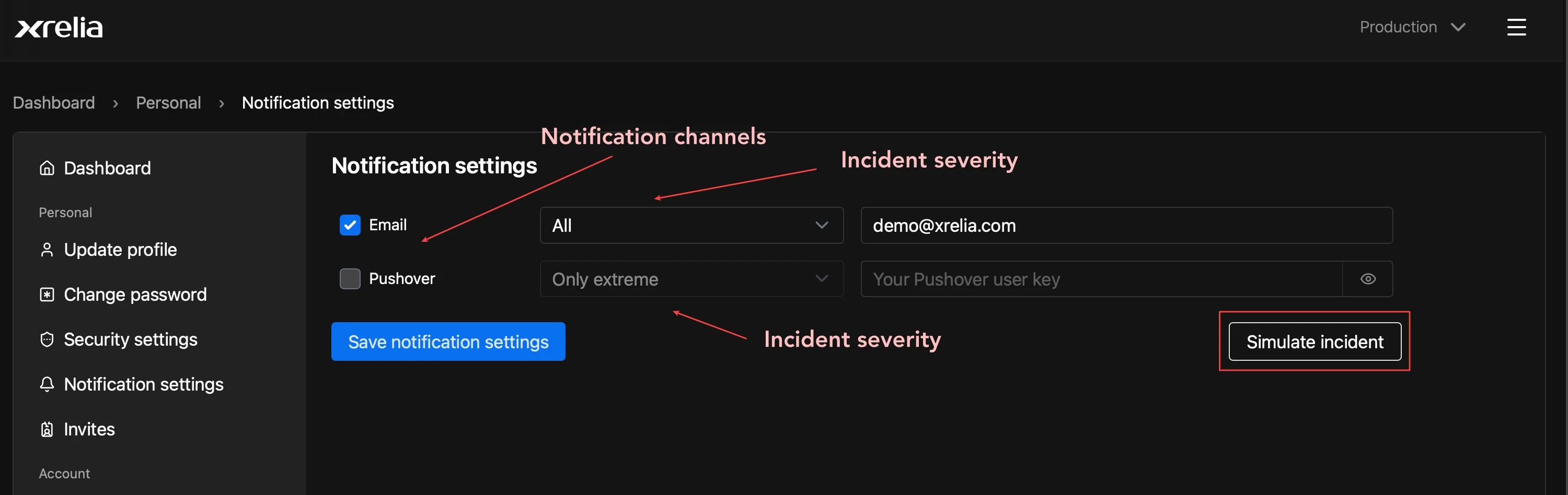
Open Notification settings page and select Simulate incident to trigger a test incident.
Use this to verify that your notification channels are configured correctly and that you receive incident notifications as expected.
You’re all set
Section titled “You’re all set”Congratulations! You’ve created your first service, added a service instance, configured a health check, and verified incident notifications
Your service is now being monitored by xrelia.