
Add a health check
Now that your service instance has been created, add a health check to monitor it.
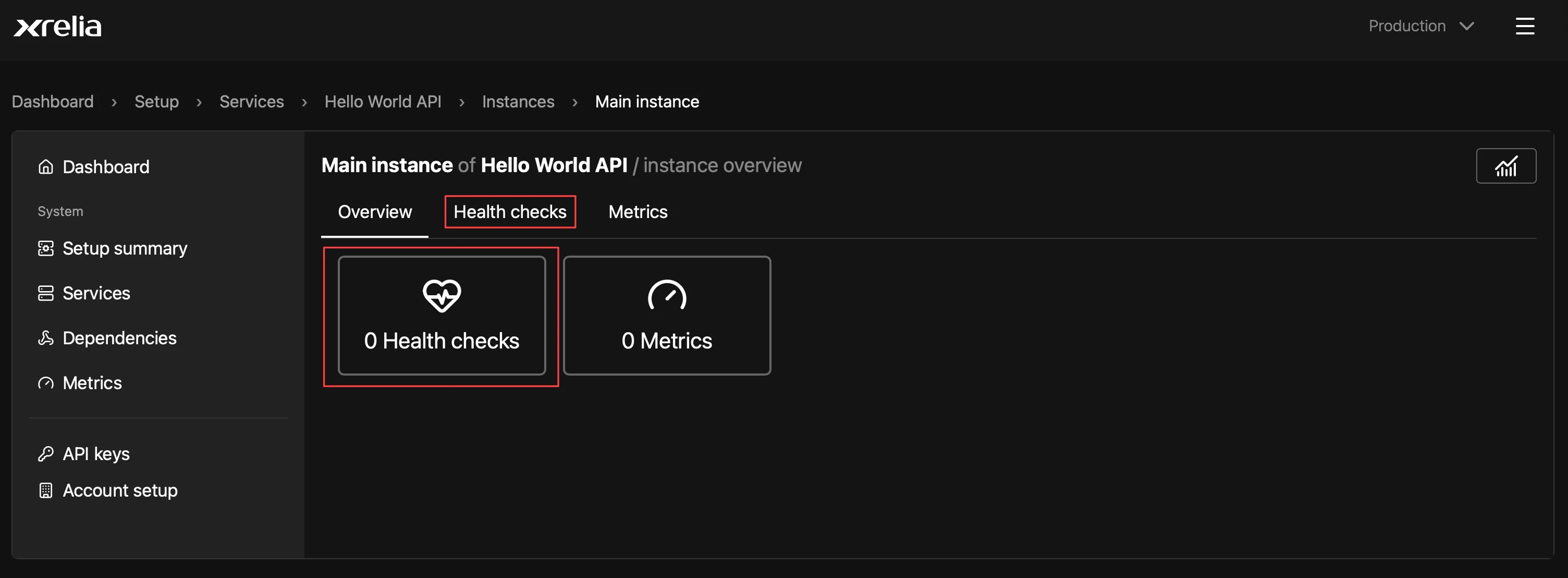
Open the Health checks tab
Section titled “Open the Health checks tab”From the Instance overview page, open the Health checks tab or select the Health check tile.
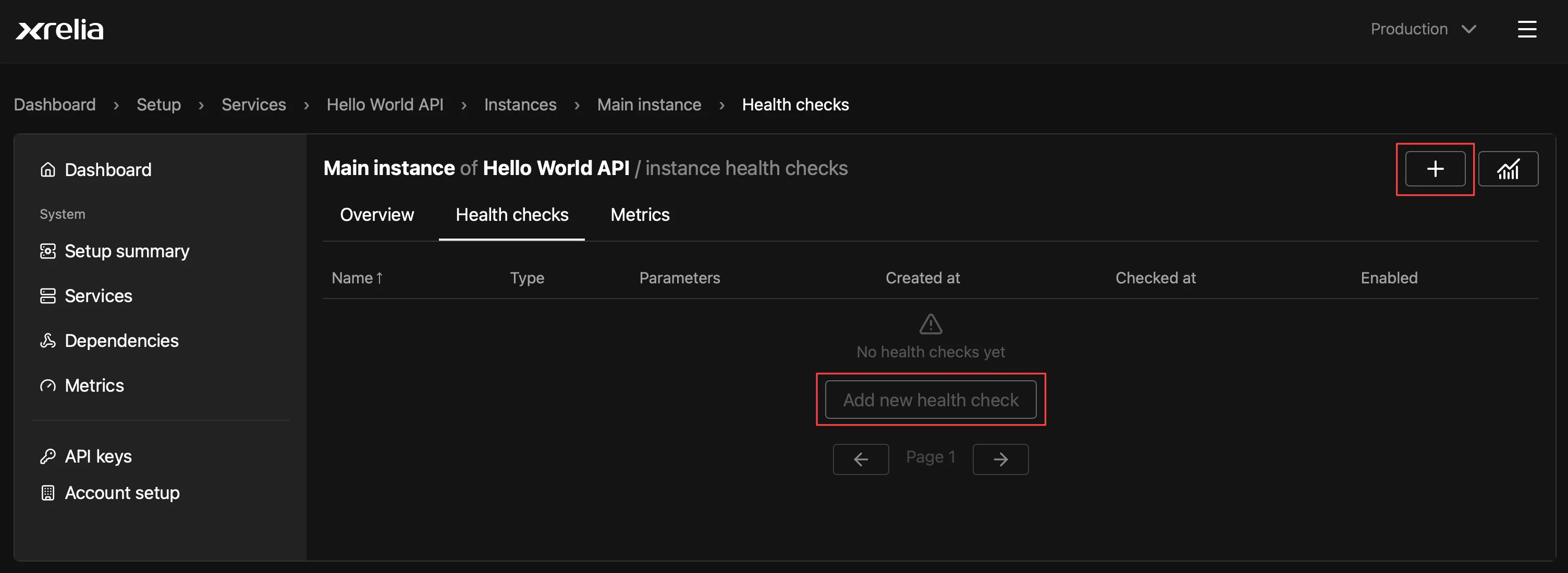
Select the + button or Add new health check.
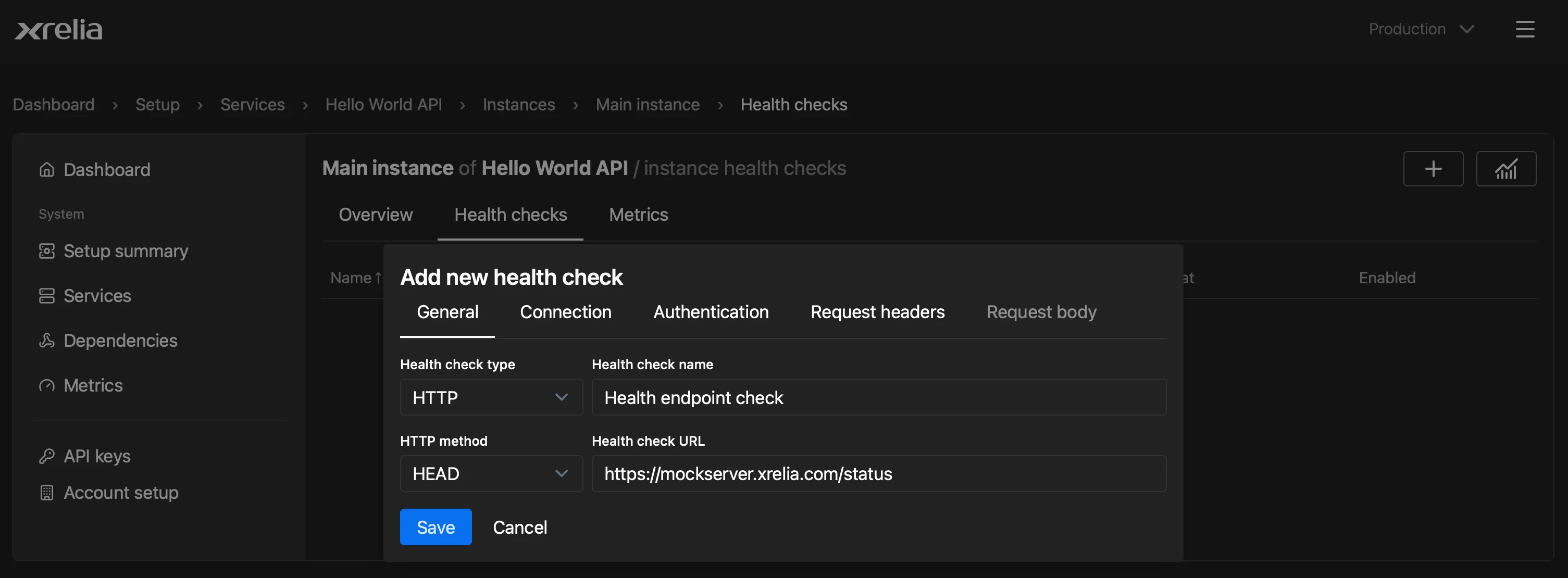
For this example, we’ll monitor a simple status endpoint.
Enter a health check name, choose HTTP as the health check type, select HEAD as the HTTP method, and enter the status endpoint URL.
You can also configure additional options such as authentication, request payloads, headers, timeouts, and response validation.
Enable the Healtch check
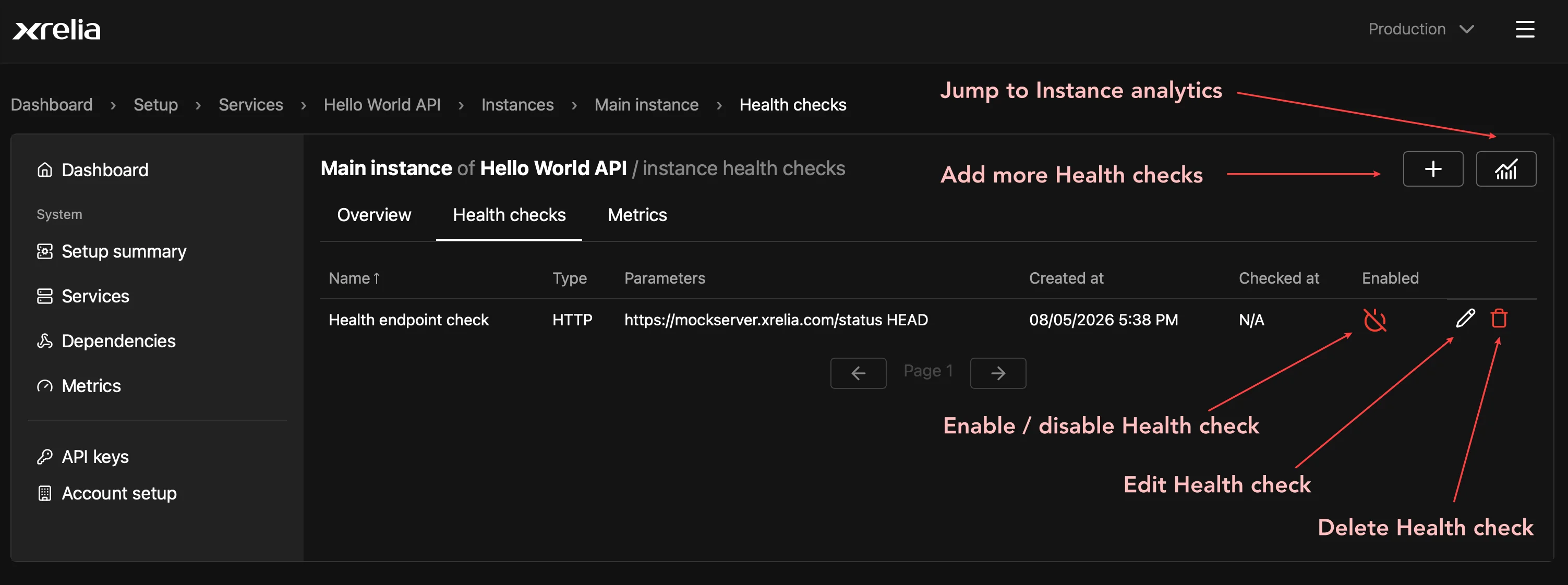
Section titled “Enable the Healtch check”New health checks are created in a disabled state. Select the power icon to enable the health check.
From the Health checks tab, you can also edit, delete, or create additional health checks.
Verify that it is running
Section titled “Verify that it is running”After the health check is enabled, its status indicator will turn green once a successful check is completed.
The Checked at column shows the time of the most recent health check execution.